
Computer maintenance and tech support
Dear Students,
Welcome to your computer Maintenance course page! Here, you will find all the necessary resources and information related to your subject course on Computer Mainteance and tech support.
Download your handouts below
Practical Session
In this practical session, we will guide you through the process of identifying each Device/hardware of the computer Desktop
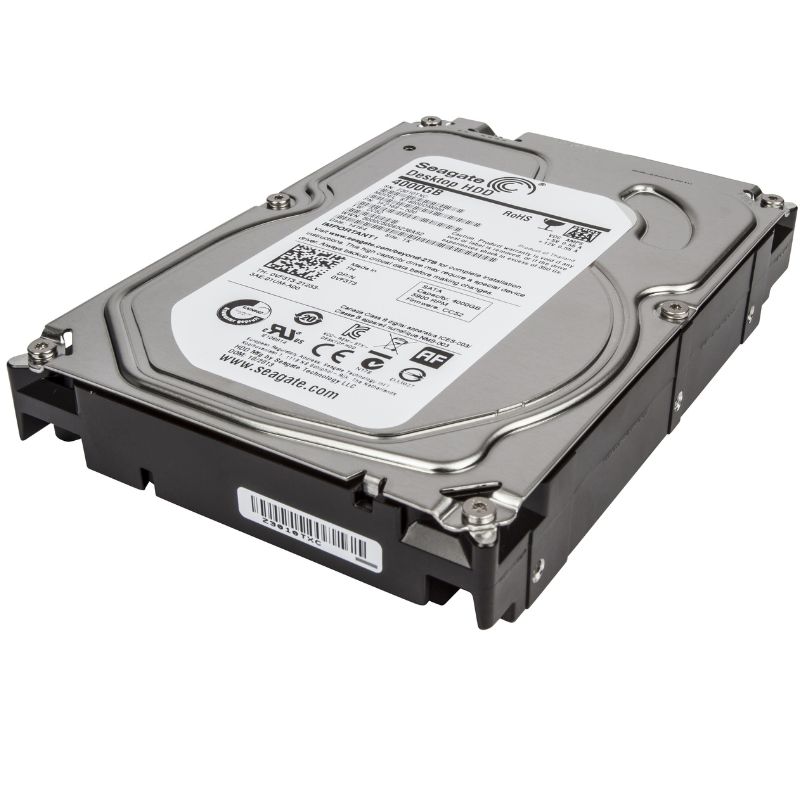
Hard Disk Drive (HDD)
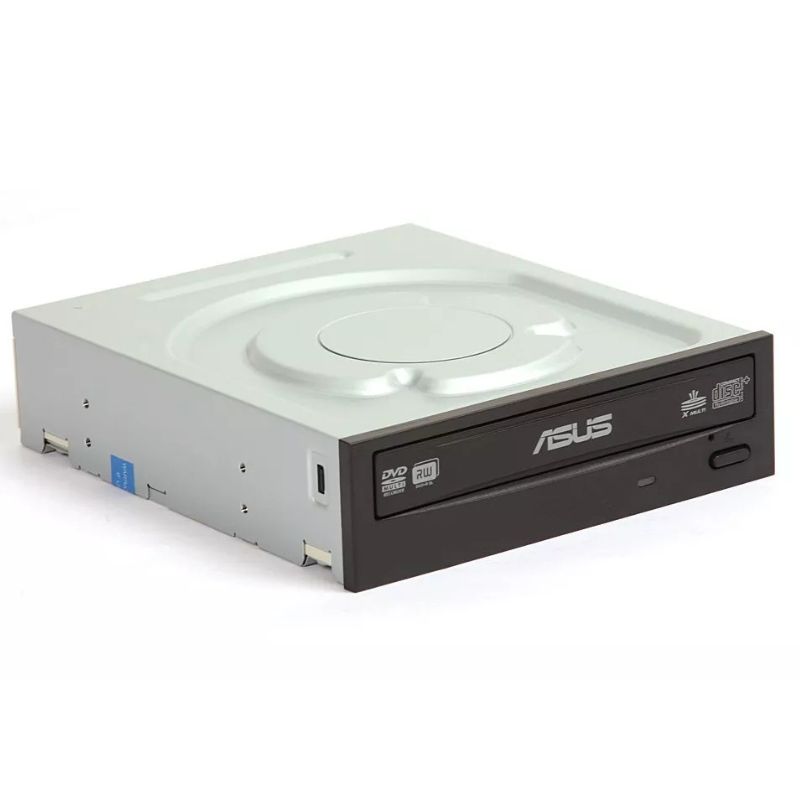
Optical Disc Drive (CD/DVD Drive)
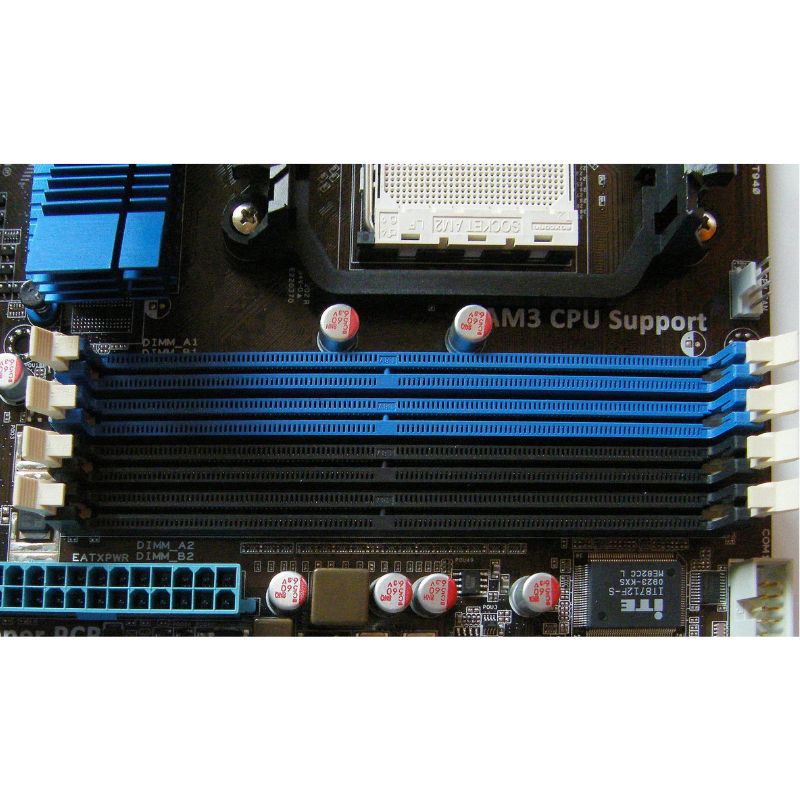
RAM Slots (DIMM Slots)
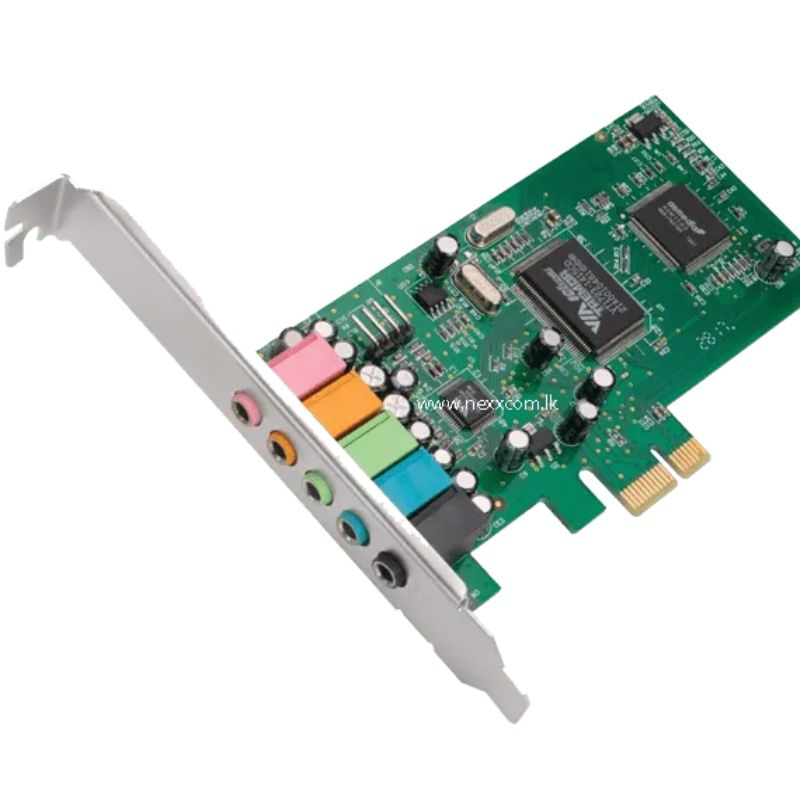
Sound Card
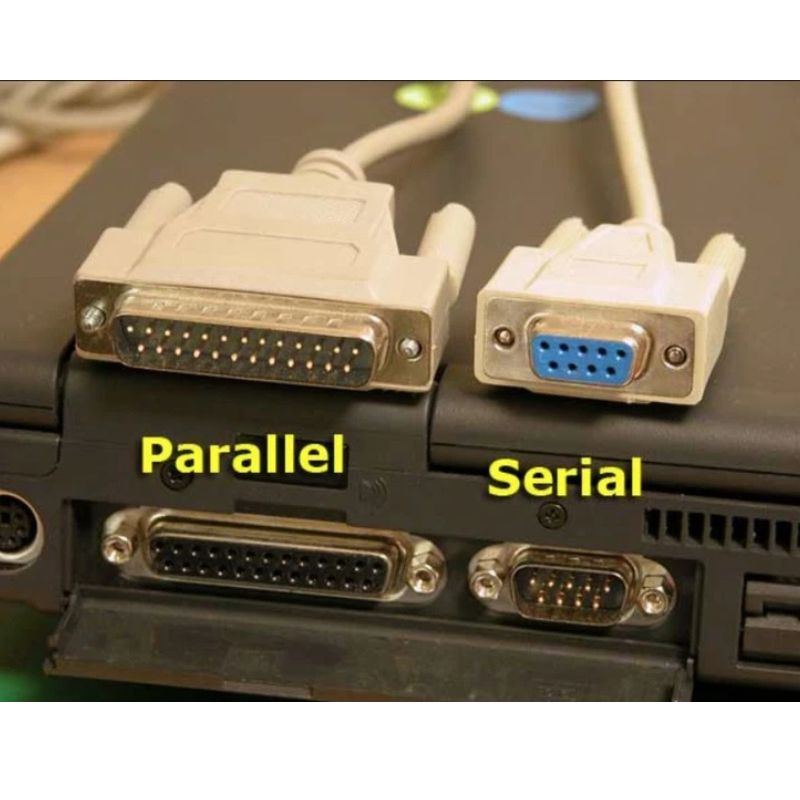
Parallel & Serial port and Connectors
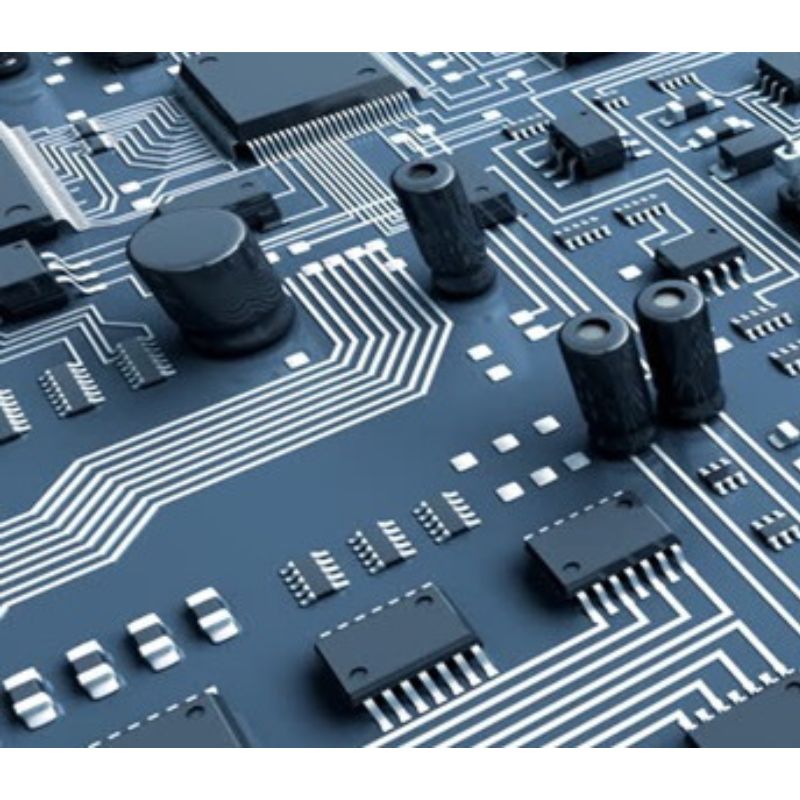
System Buses
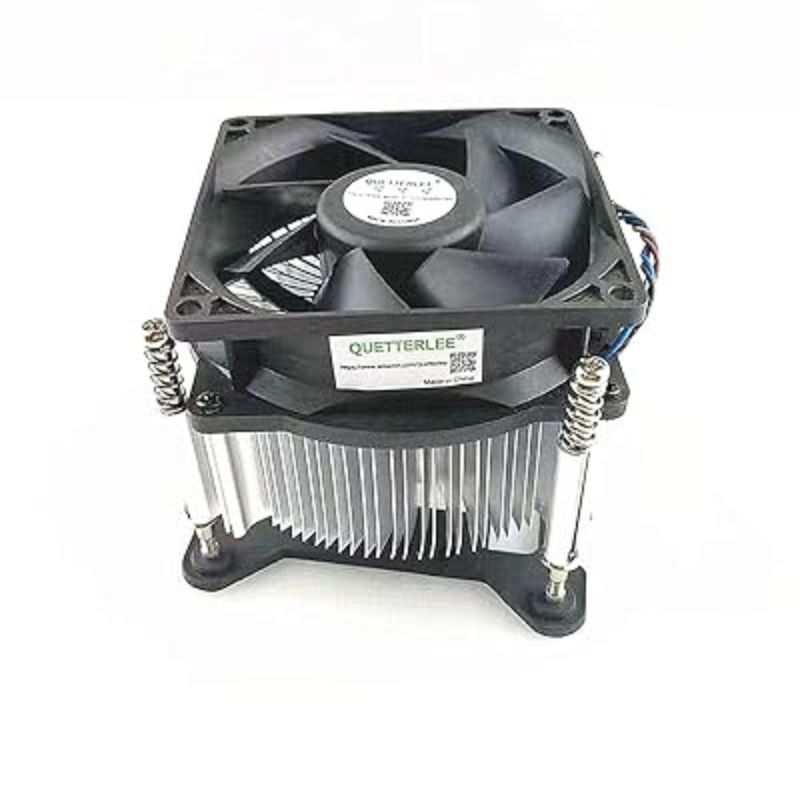
CPU Cooling Fan
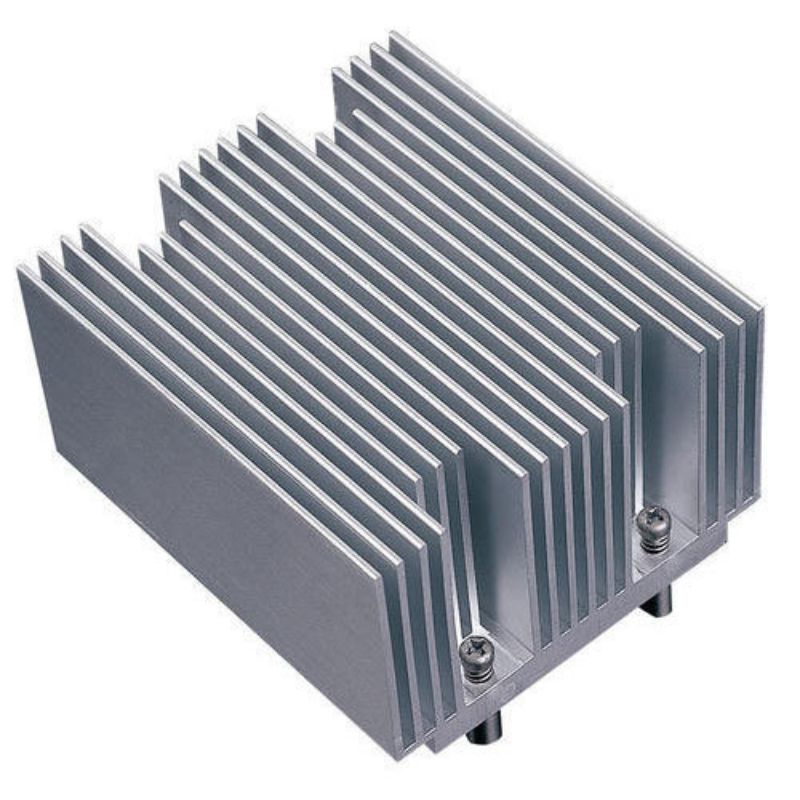
CPU Heat Sink
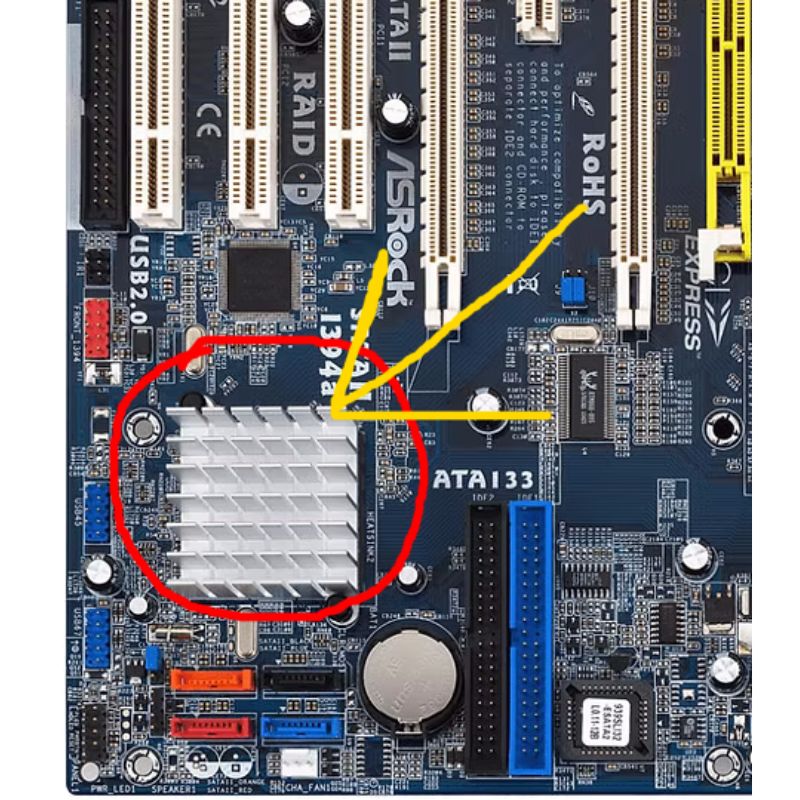
Southbridge
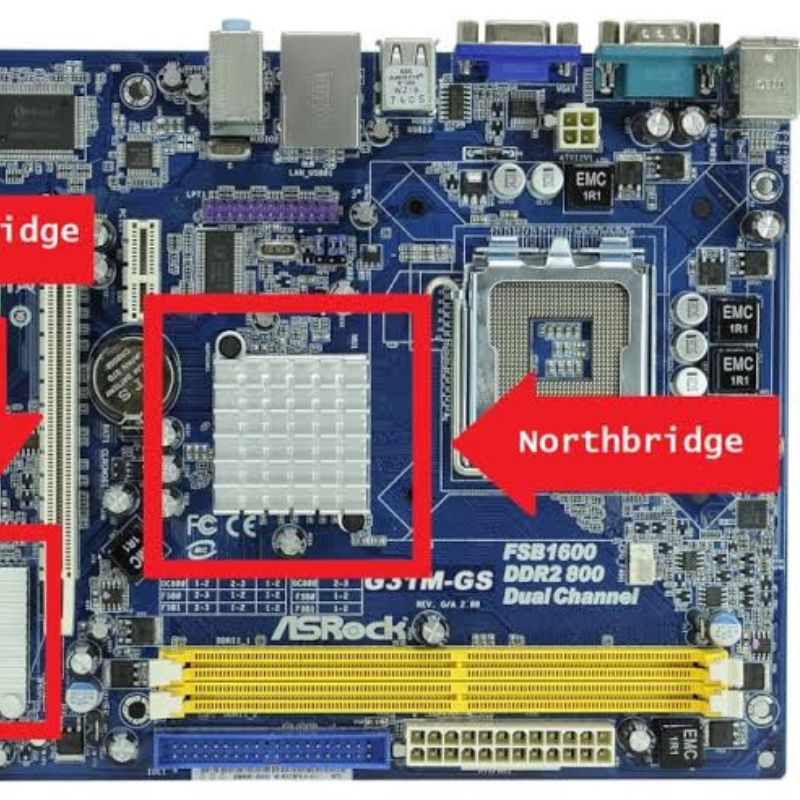
Nourthbridge
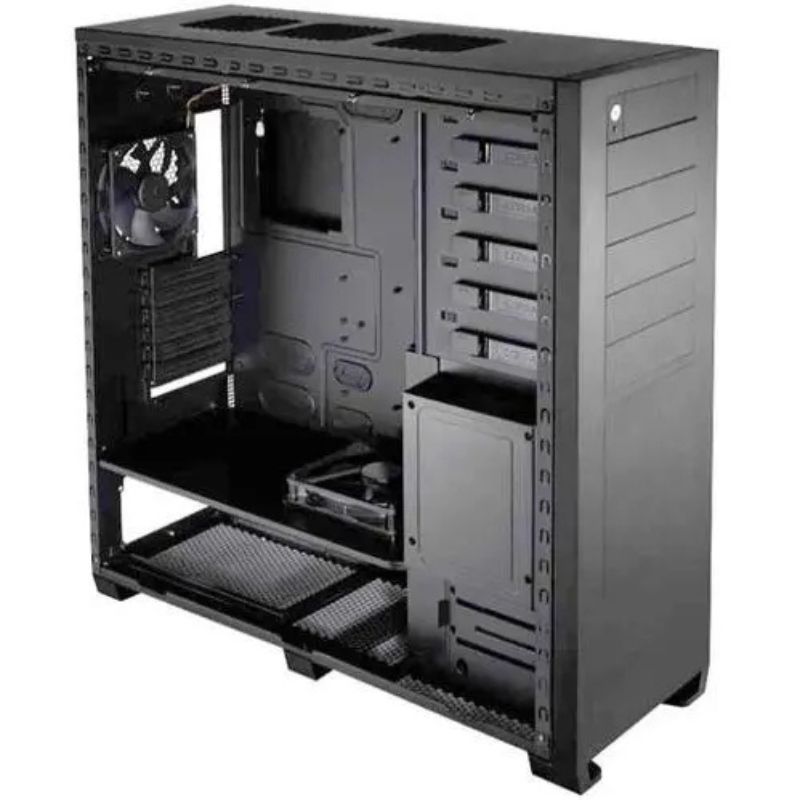
System Case, Tower, board
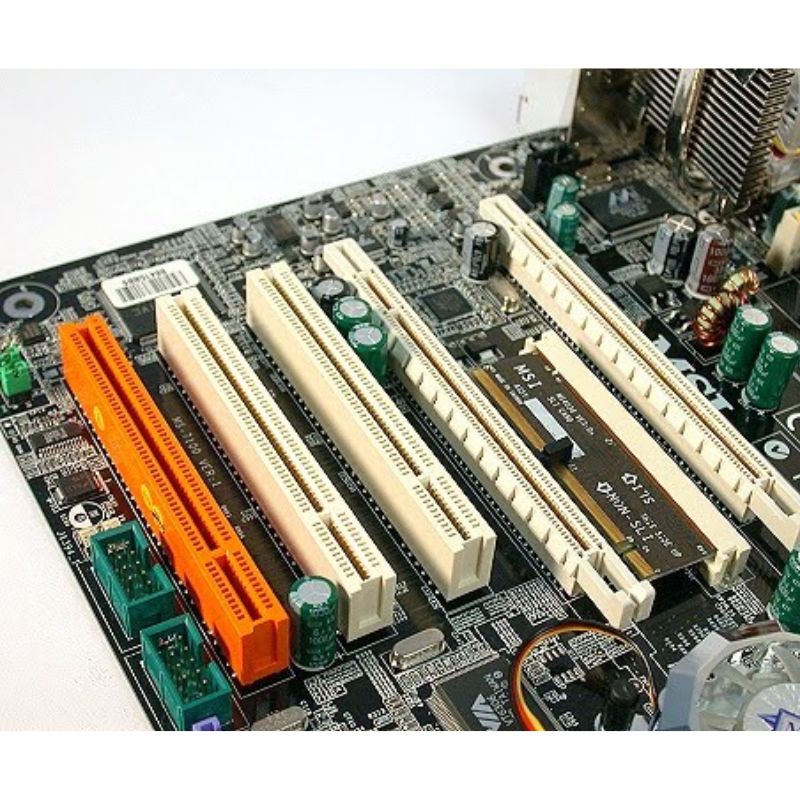
Expansion Slots or PCI Express (PCIe) Slots
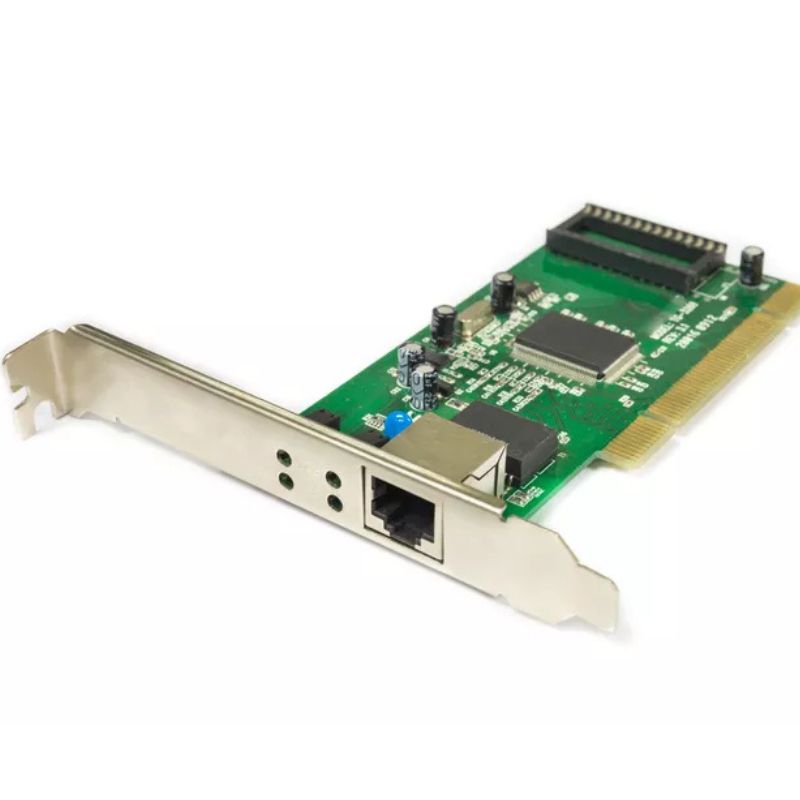
Network Interface Card (NIC / Ethernet Card)
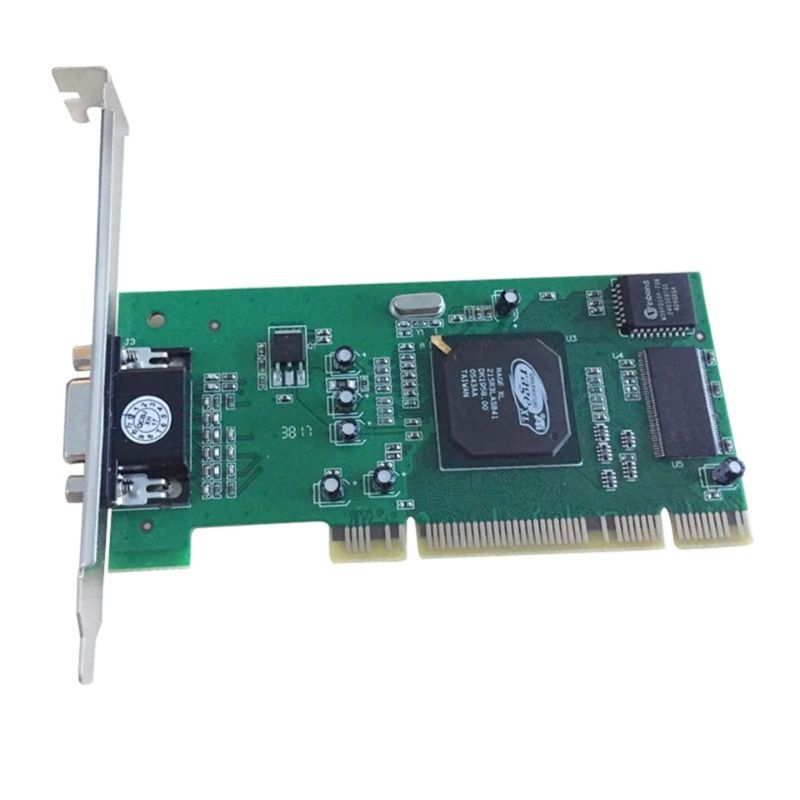
Graphics Card (Video Card / GPU)
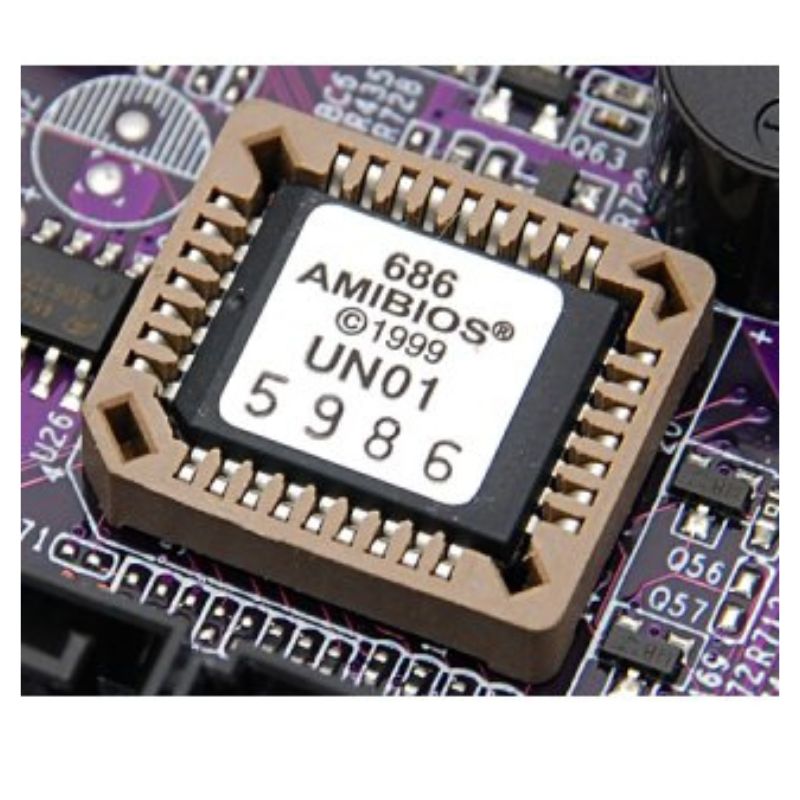
BIOS Chip
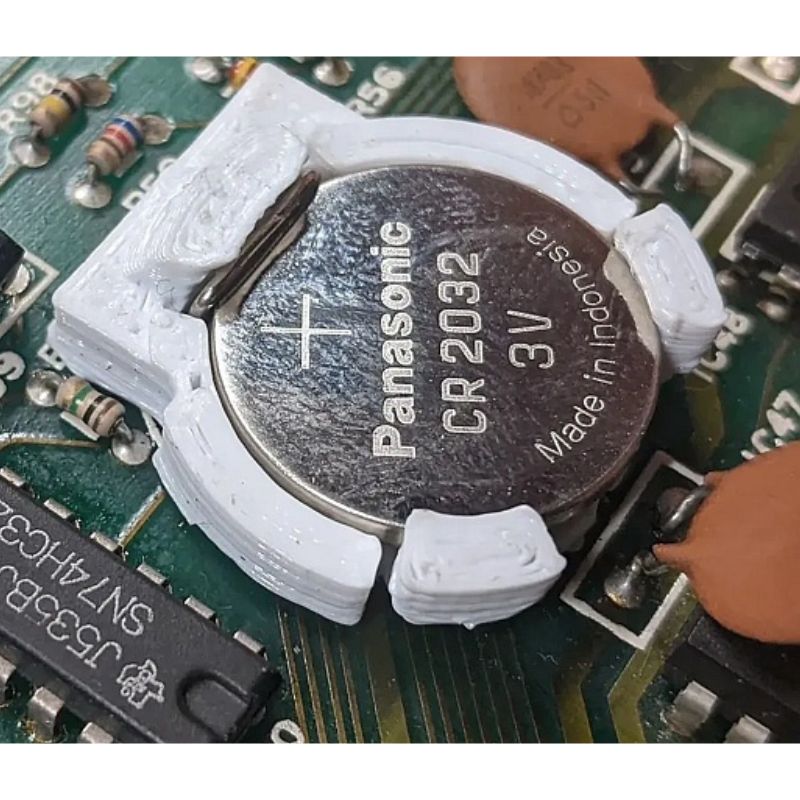
CMOS Battery
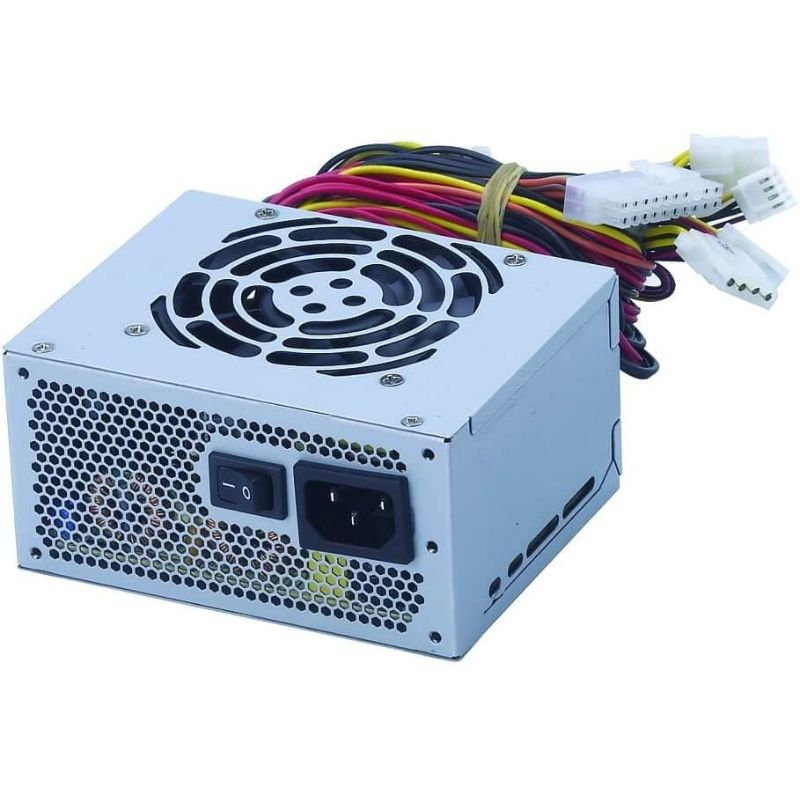
Power Supply Unit (PSU)
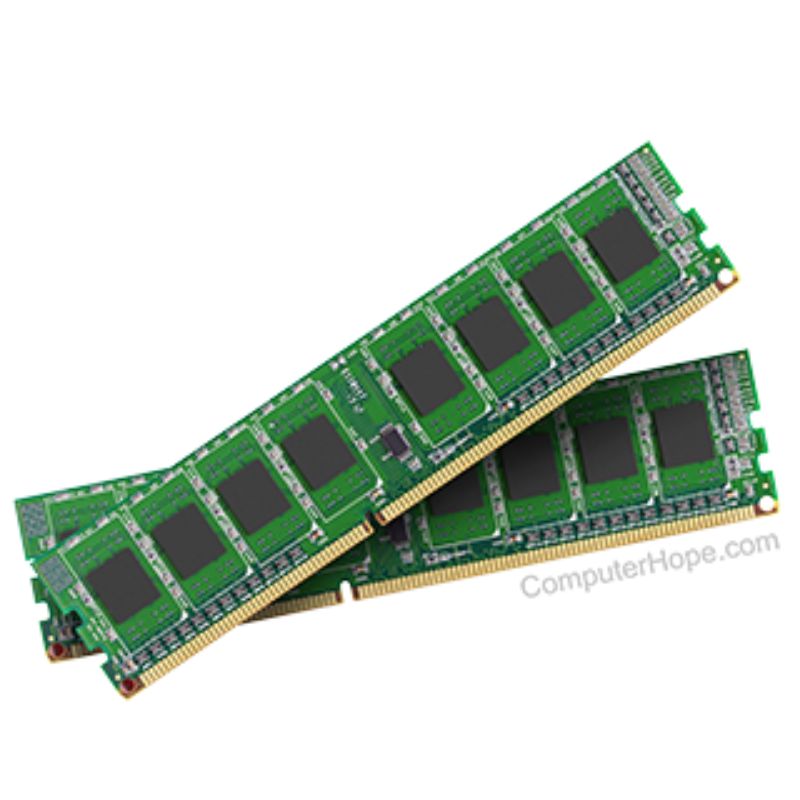
Random Access Memory (RAM)
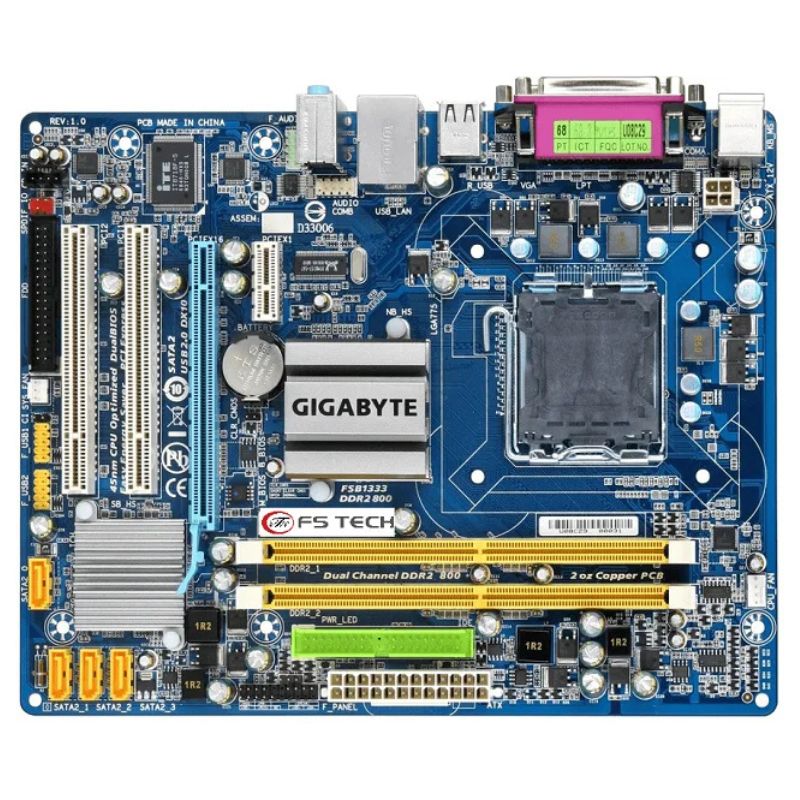
Motherboard, Main Board, System board
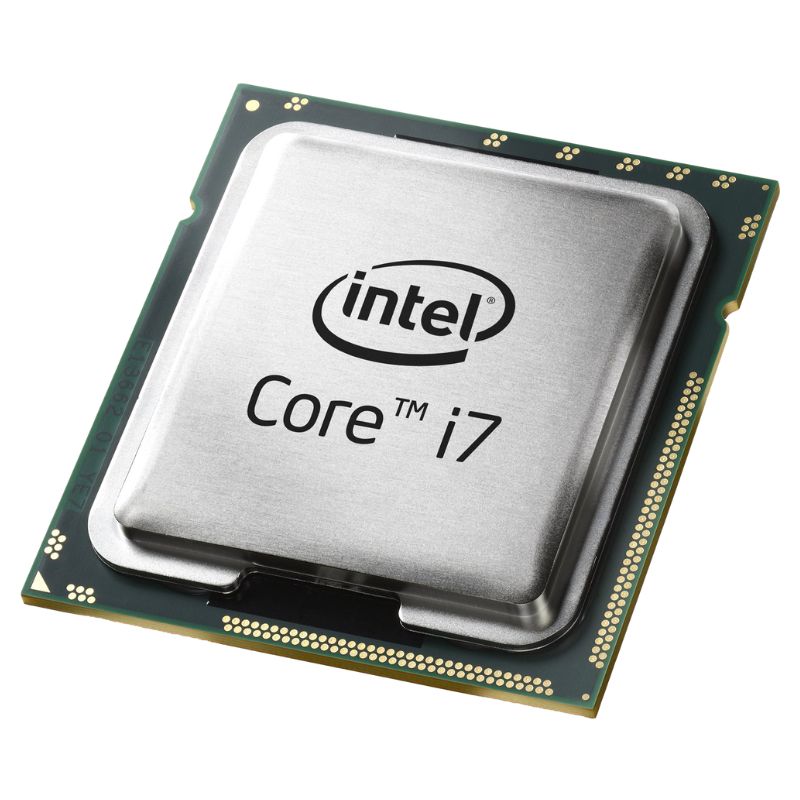
Central Processing Unit (CPU)
Your Practical Exams
Course: Computer Hardware Fundamentals
Examination Type: Oral Practical (Component Identification)
Total Marks: 20
Marks per Item: 1
Instructions to the Student
You are required to identify the requested hardware component on the open system unit presented before you. Identification must be direct and unambiguous.
- Identify the Central Processing Unit (CPU).
- Identify the cooling fan associated with the processor.
- Identify the heat sink used for processor thermal management.
- Identify the Random Access Memory (RAM) modules.
- Identify the memory (DIMM) slots on the motherboard.
- Identify the motherboard (system board).
- Identify the power supply unit of the system.
- Identify the primary storage device (Hard Disk Drive).
- Identify the optical disc drive installed in the system.
- Identify the graphics adapter (video card).
- Identify the network interface card used for Ethernet connectivity.
- Identify the audio interface (sound card).
- Identify the PCI or PCI Express expansion slots.
- Identify the BIOS firmware chip on the motherboard.
- Identify the CMOS battery.
- Identify the system buses on the motherboard.
- Identify the Northbridge chipset.
- Identify the Southbridge chipset.
- Identify the serial or parallel interface ports on the rear panel.
- Identify the system case (computer chassis).
Very Important Note
- Allow 5–10 seconds per question.
- Allow one attempt only per item.
- If the student hesitates or points incorrectly, move to the next question.
- Student must clearly and confidently indicate the component.